- Hover your mouse over the menu icon in the top-right corner of the screen.
- Click on Overview.
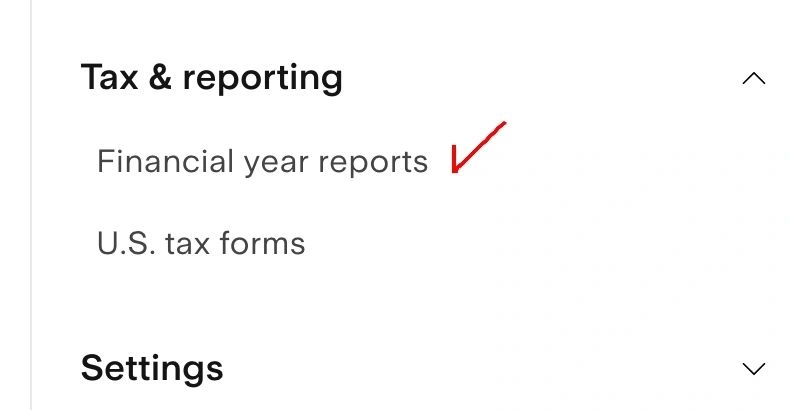
- On the left-side menu, click on Tax & reporting > Financial year reports.

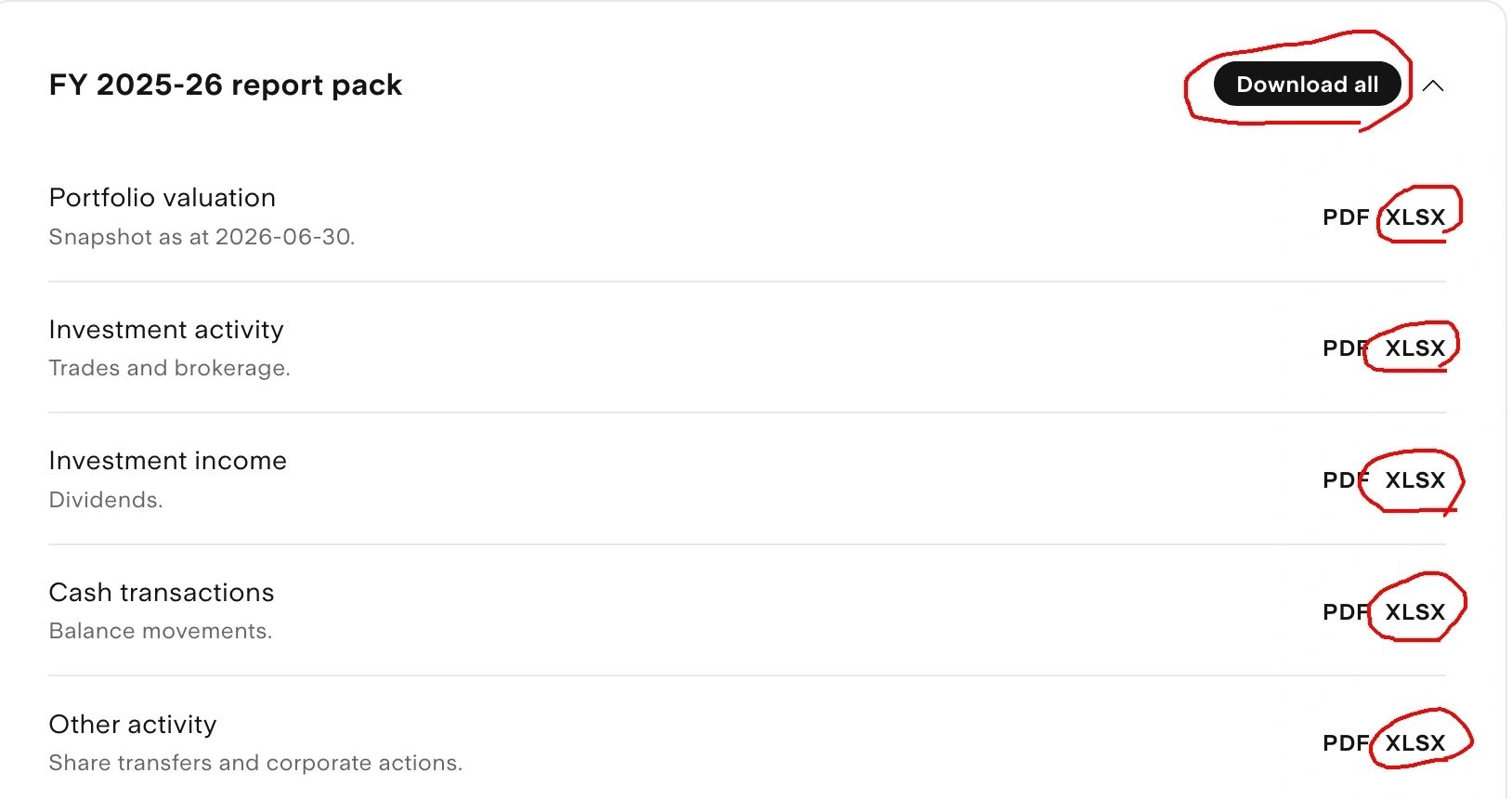
- Download all reports by clicking "Download all" AND the XLSX files for each report.