
Follow these instructions to download the following files:
- Quarterly & Tax Statements (PDF)
- Activity (CSV)
Log in to your Betashares Direct account via: https://onboarding.betashares.com.au/
Quarterly & Tax Statements
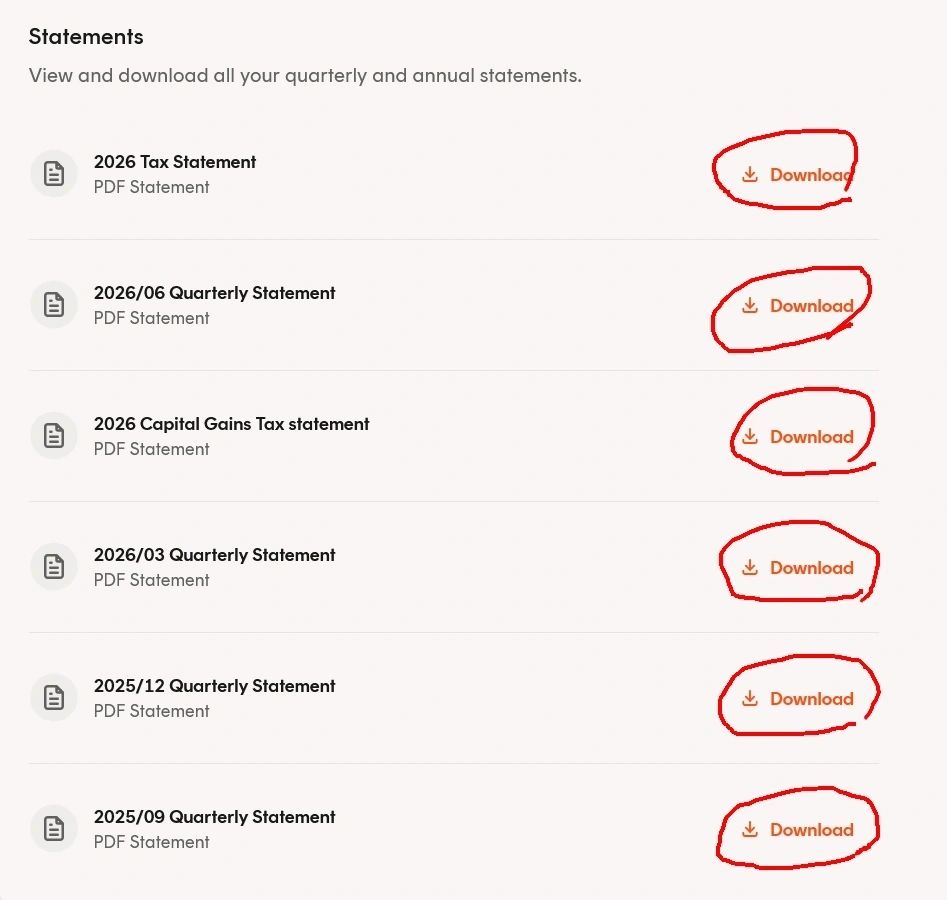
Navigate to Activity > View Statements.

Download the following 6 files:
- 20xx/09 Quarterly Statement (PDF)
- 20xx/12 Quarterly Statement (PDF)
- 20xx/03 Quarterly Statement (PDF)
- 20xx/06 Quarterly Statement (PDF)
- 20xx Tax Statement (PDF)
- 20xx Capital Gains Tax Statement (PDF)
Activity
Navigate to Activity
Enter the Start date as 01/07/20XX and End date as 30/06/20XX (Previous Financial Year).
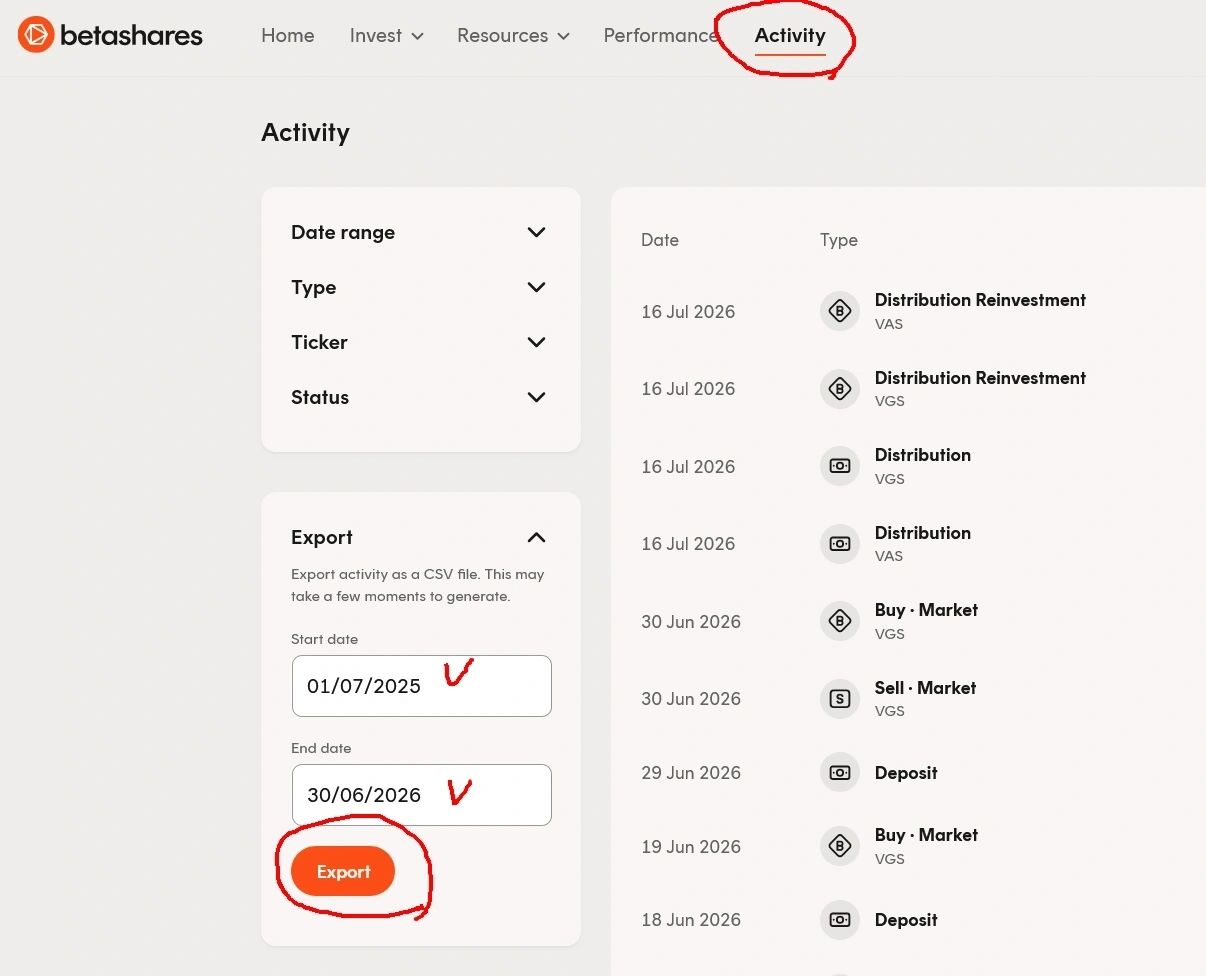
Select Export.