
Follow these 6 steps to invite us in -
1. Log in to your organisation on Xero
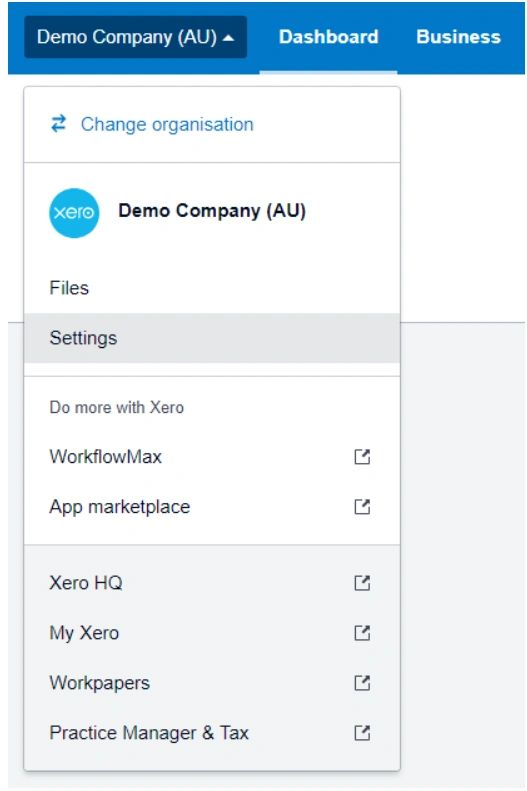
2. Click on your Organisation name then go to Settings
3. Click on Users
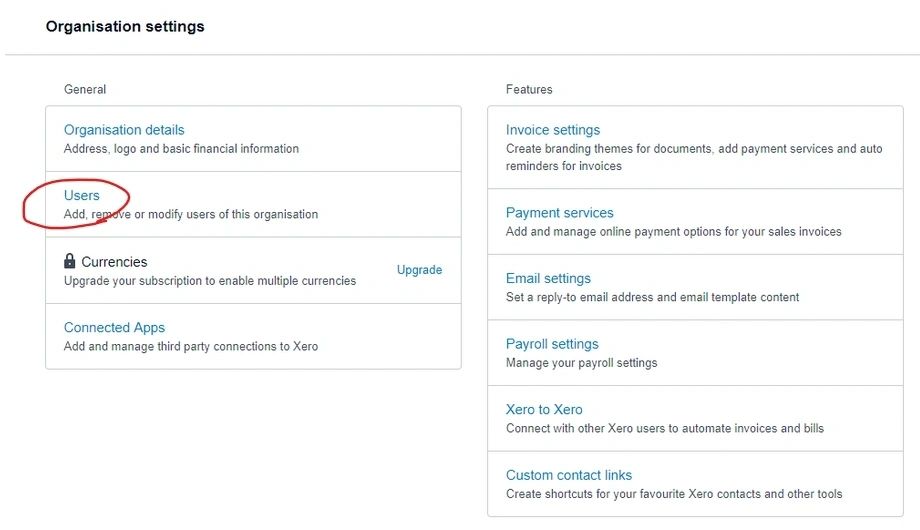
4. Click 'Invite a User' to enter details for a new user.
5. Enter Chris Han for the name, and chris@couadvisory.com.au as the email address.
Select Administrator role, and "Send invite"
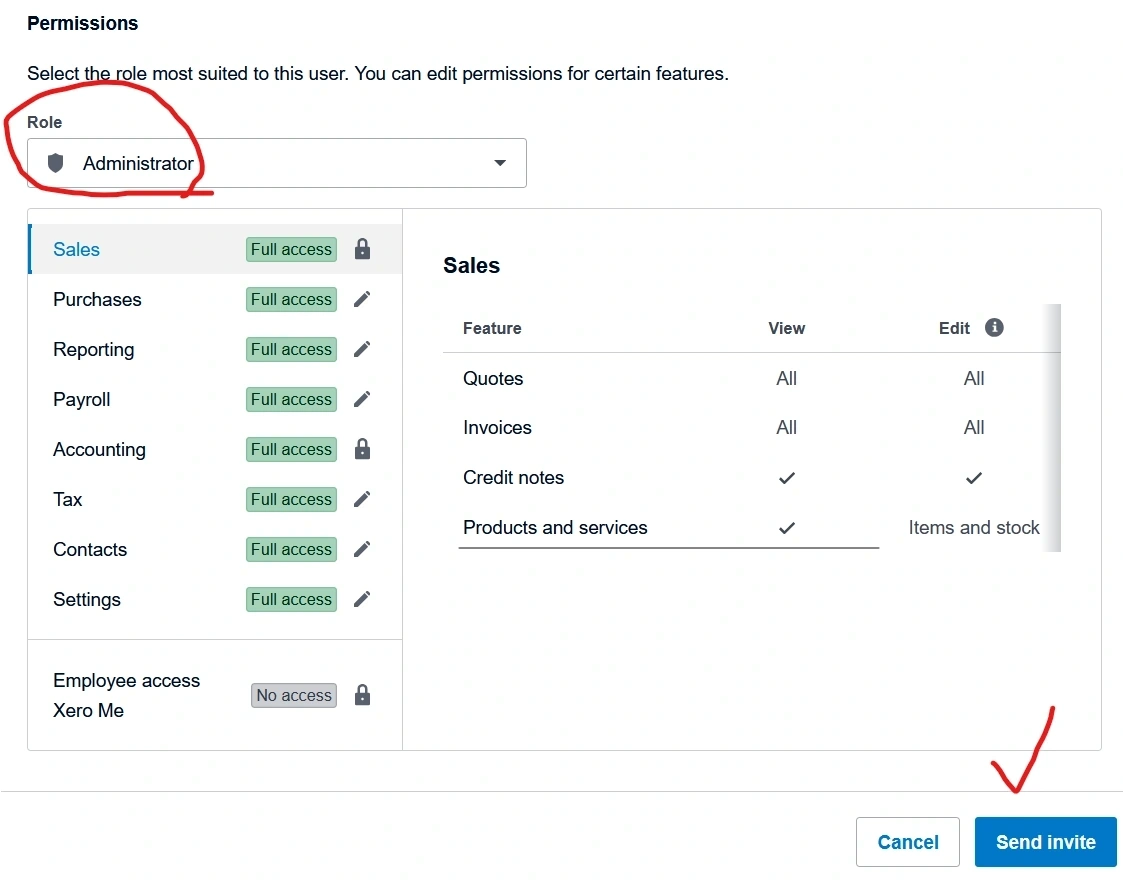
6. Press Continue and send an Invite