
Follow these instructions to download the following 3 reports:
- Activity Statement Report (PDF)
- Activity Statement Report (CSV)
- Flex Query Report (CSV)
Download reports via the Interactive Brokers website.
Activity Statement Report
Navigate to Performance & Reports > Statements
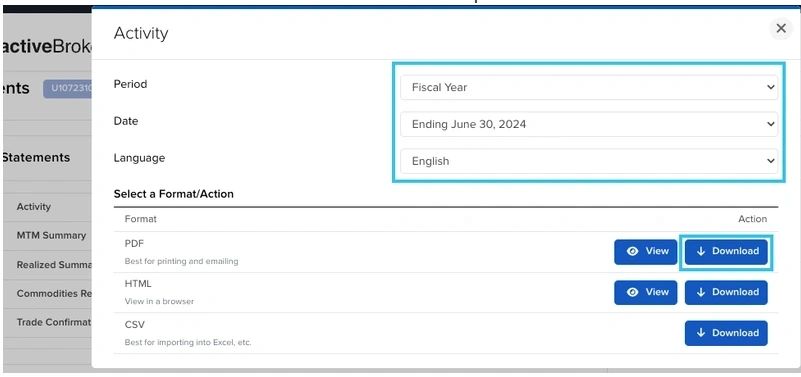
Select Activity from the list and select Fiscal Year + Ending June 30, 202X, PDF format.
Click Download to download the PDF and the CSV reports.
Flex Query Report
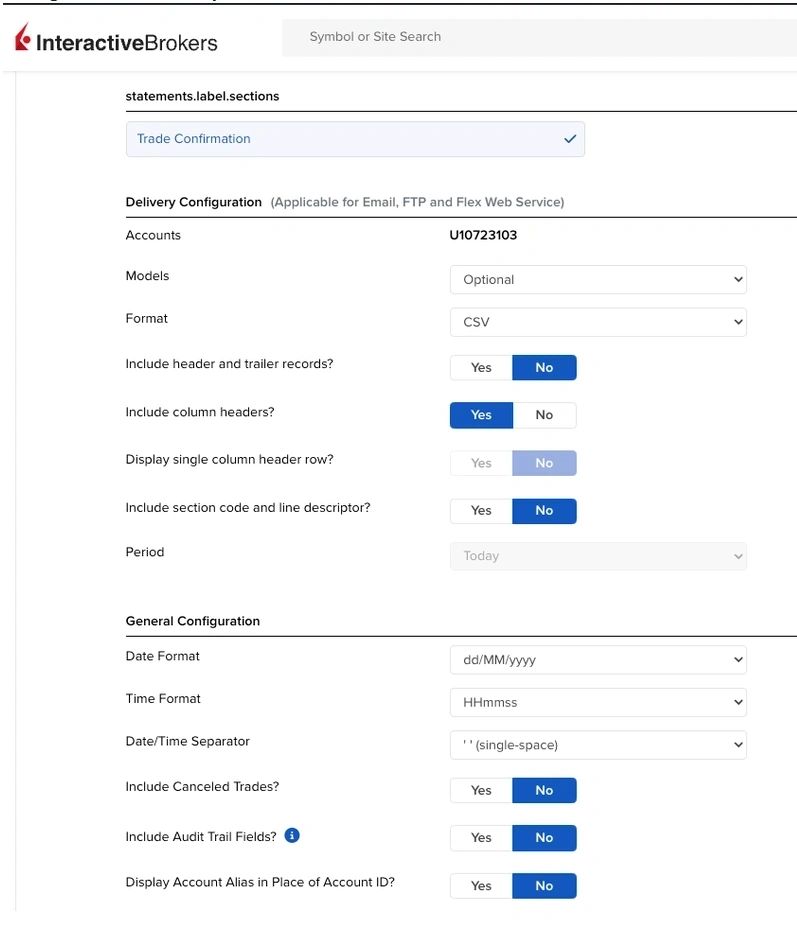
You need to build a Trade Confirmation Flex Query that will provide all the trading data from your account.
Configure the Flex Query as follows:
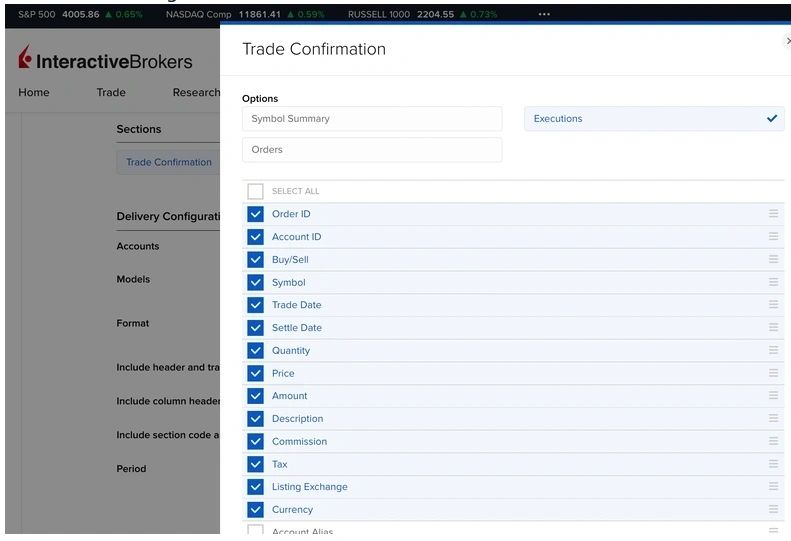
Select the following fields and ensure the order matches the screenshot below
Save the Flex Query.
Run the report selecting the From + To Dates as the Previous Financial Year (or from date being account opening).
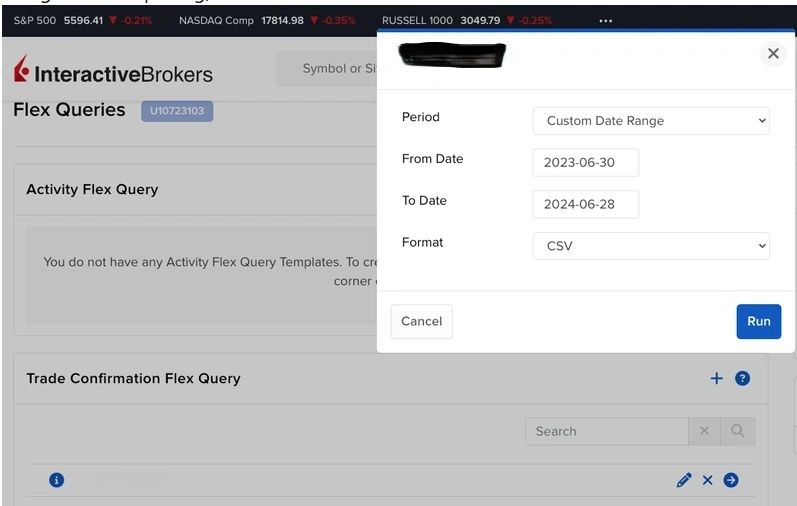
Click Run to download the CSV report.