
Upload an aba file
Log into CBA Netbank Online Banking
The Netbank Online Screen
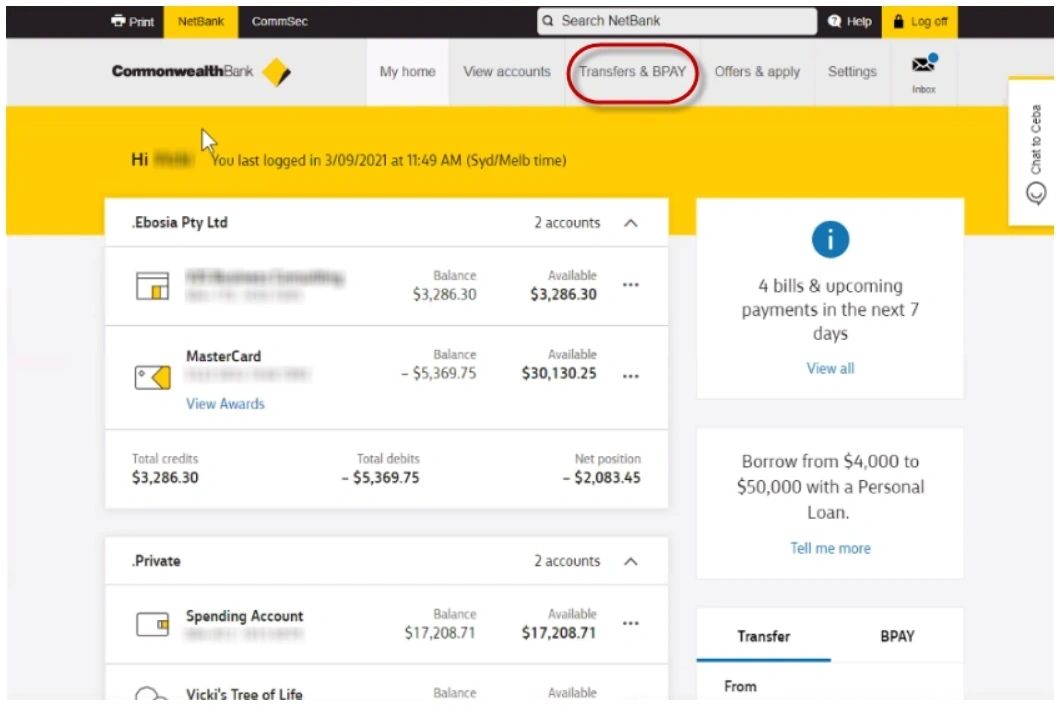
Select [Transfers & BPAY] > Transfer groups & import files
The Transfer groups and import files Screen opens
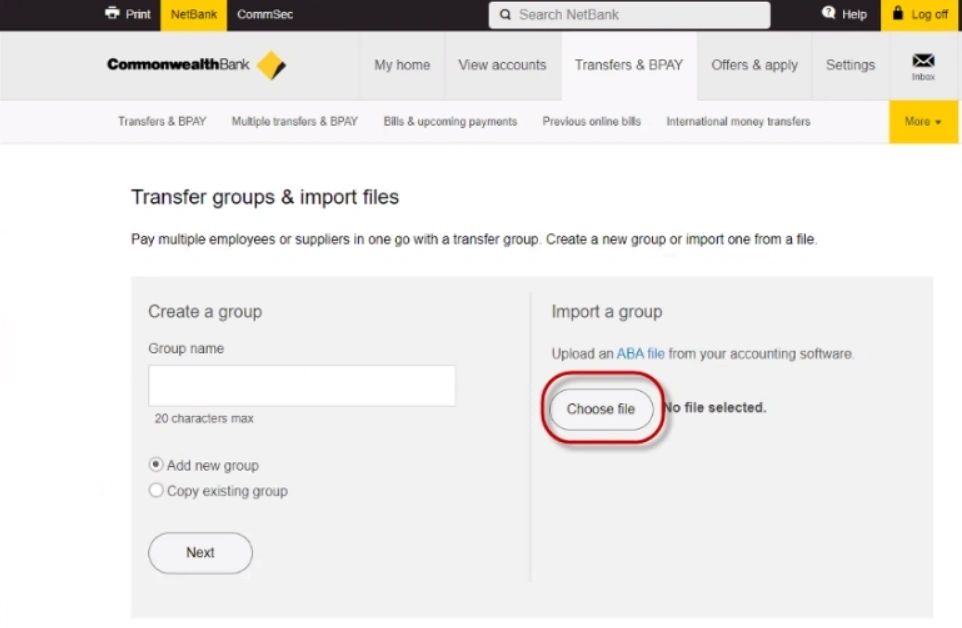
Click on [Choose file]
The Open files Screen opens
Find the aba file saved on your computer and click on [Import]
An importing confirmation Screen opens
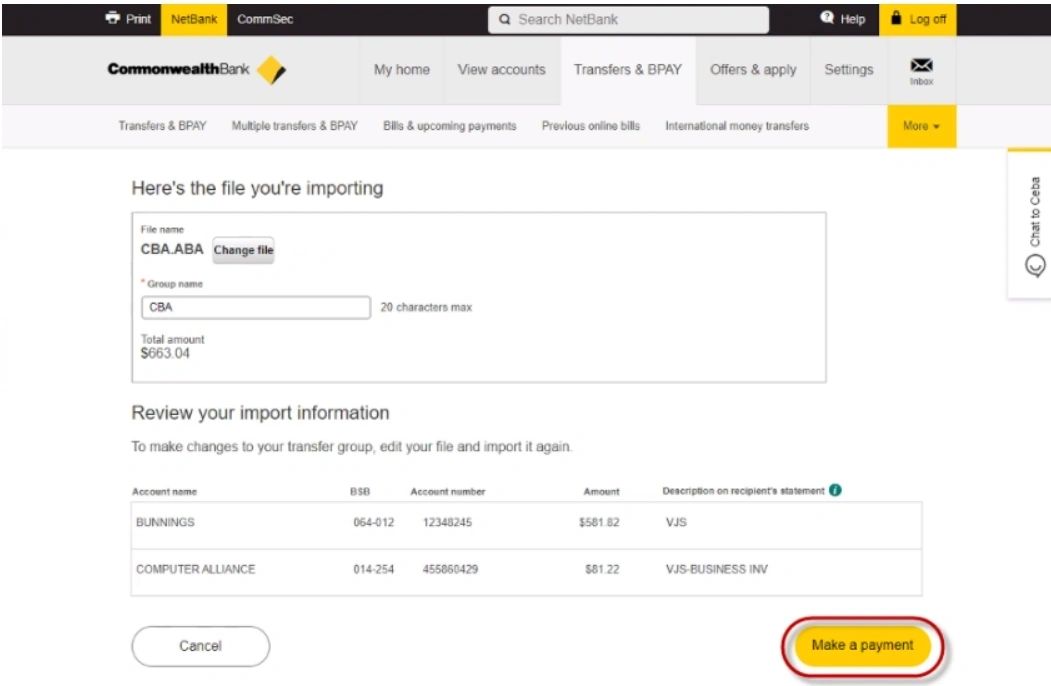
Click on [Make a Payment]
The new Transfers & BPAY screen opens
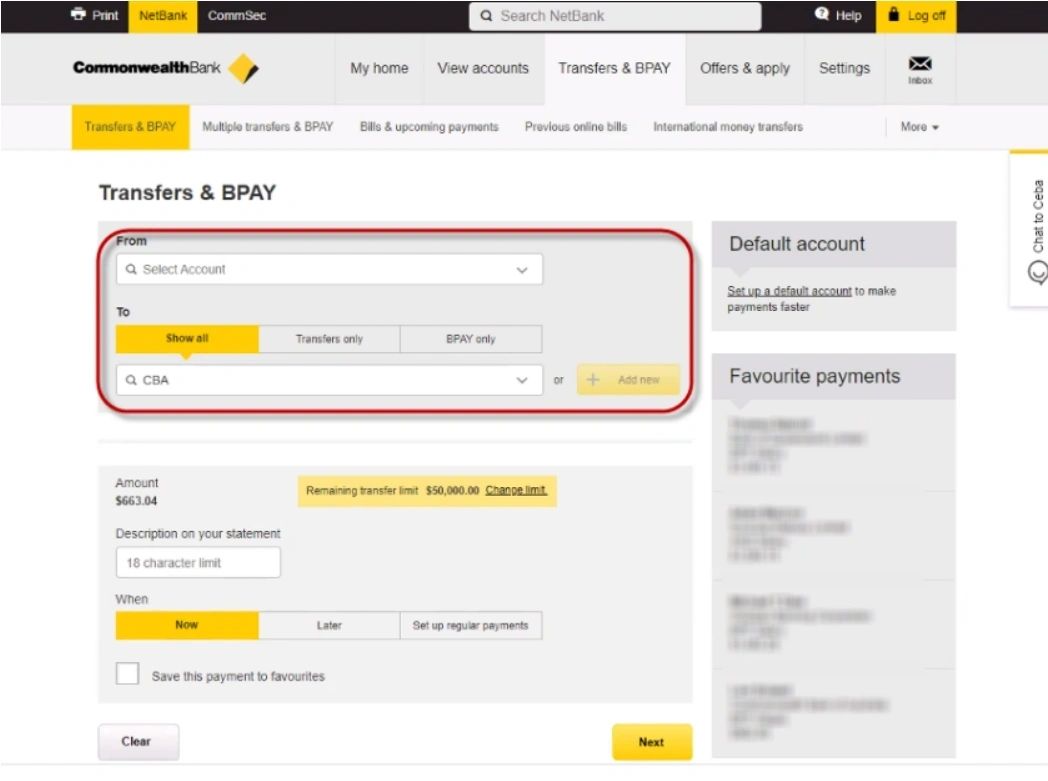
Select/Enter the following details:
From > Select the Account you want to withdraw the money from
Description on your Statement > Type a description to appear on your Statement
Date > Type the date you want the payment to be processed
Click on [Next]
A confirmation Screen opens
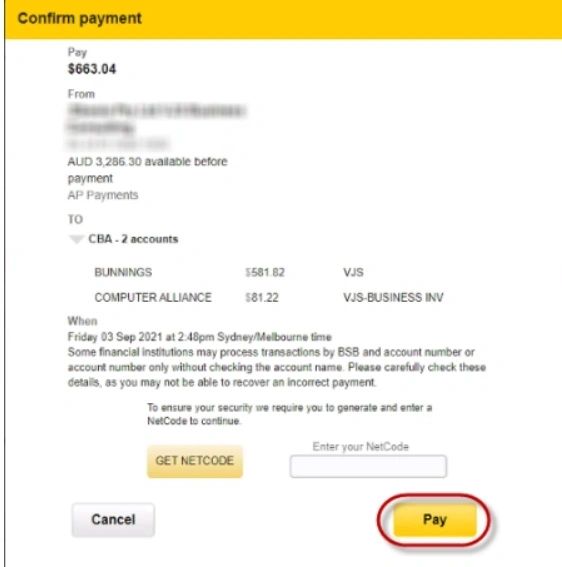
Click on [Get Netcode]
Verify the transaction by entering the verification code from your smartphone and click on [Pay]
The Batch file is submitted