
An aba file is used to complete batch payments produced by the Accounting or Payroll Software.
A batch payment is a payment that groups a number of supplier invoice payments or employee pays.
After creating the batch payment, the Accounting/Payroll software produces the aba file. The aba file is then uploaded into the online Banking Portal.
An Aba file is a compatible file format with all Australian banks.
Upload an aba file
- Log into NAB Online Banking
è The NAB Online Screen
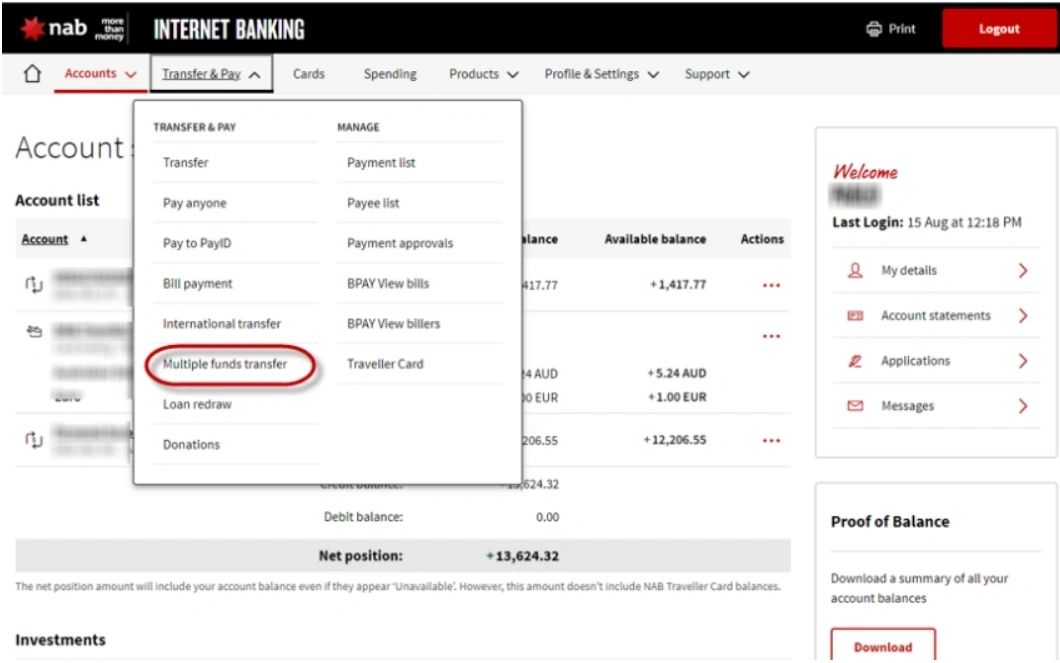
From the [Transfer & Pay] Tab, click on Multiple funds transfer
è The New multiple funds transfer screen opens
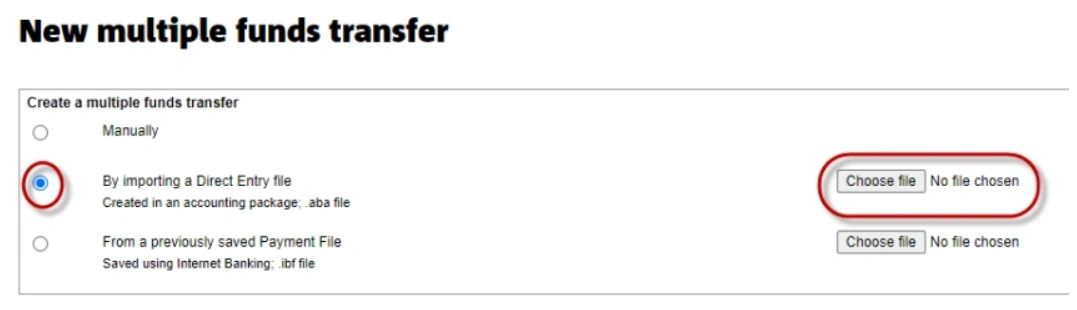
Select the option By importing a Direct Entry File then click on [Choose file]
è The Computer Browser screen opens
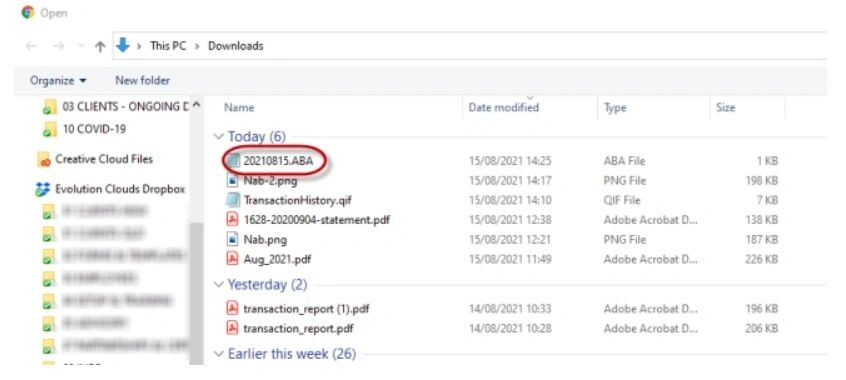
Select the aba file from your computer and click on [Next]
è The New multiple funds transfer confirmation screen opens
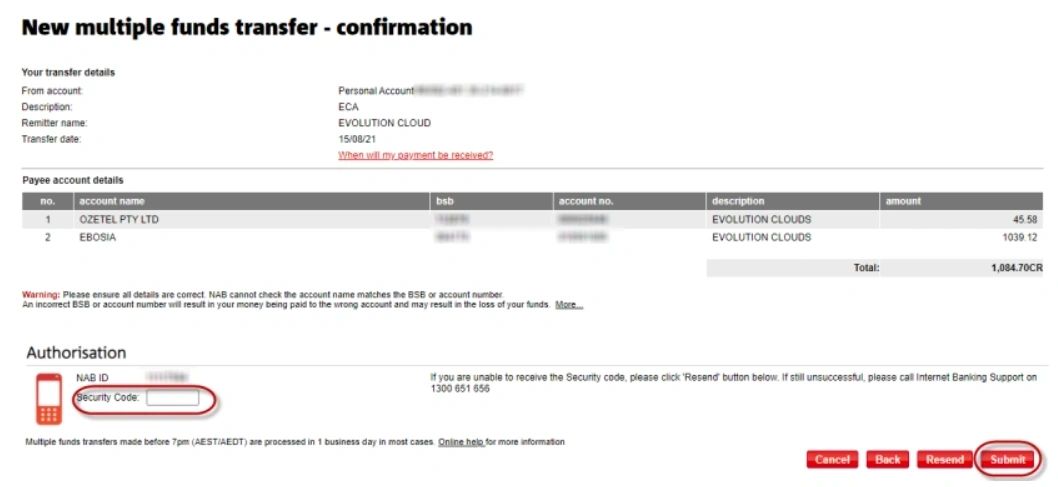
Enter the security code from your phone and click on [Submit]
è The Batch payment is confirmed