Export the csv/qif file
Log into Westpac Online Banking
The Westpac Online Screen
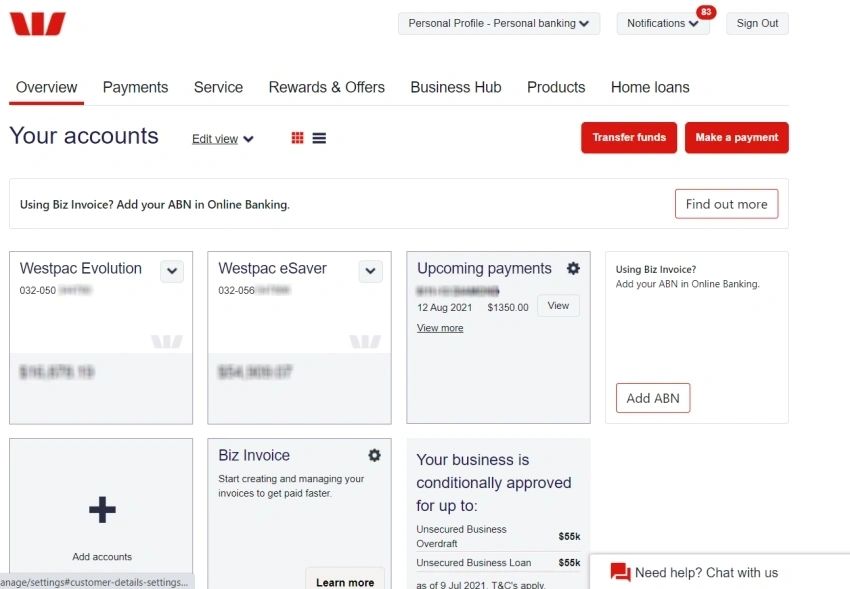
Click on the Bank Account whose transactions you wish to export
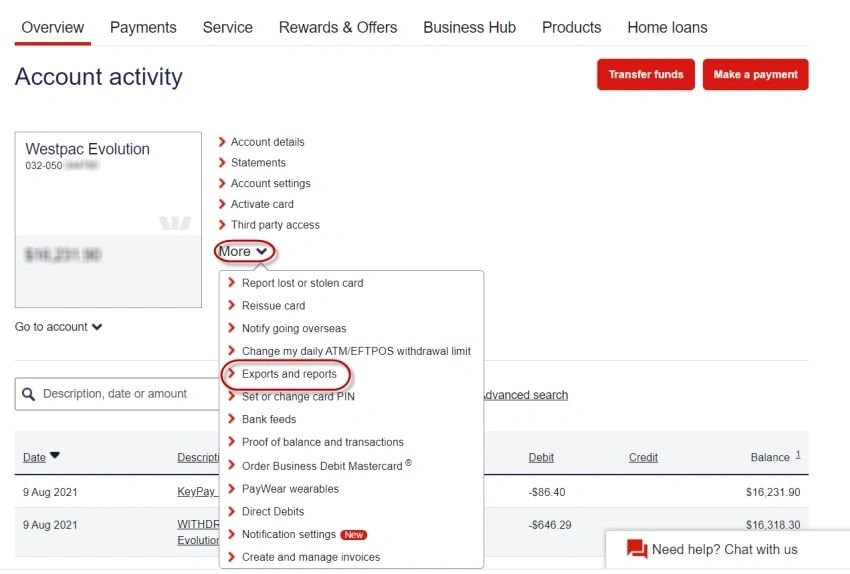
Click on More > Exports and reports
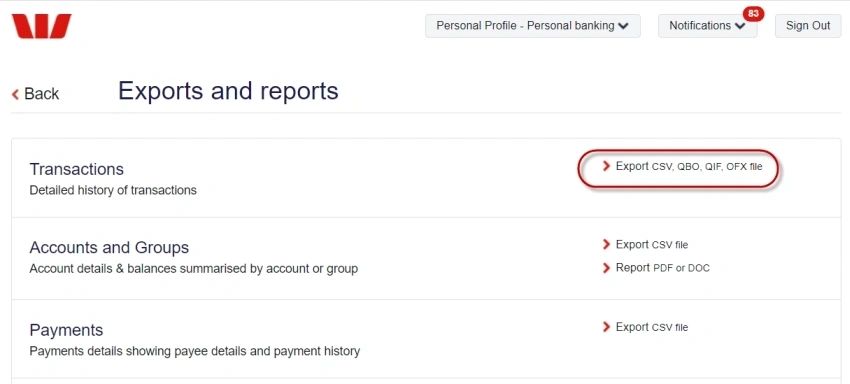
Click on Export CSV, QBO, QIF, OXF file
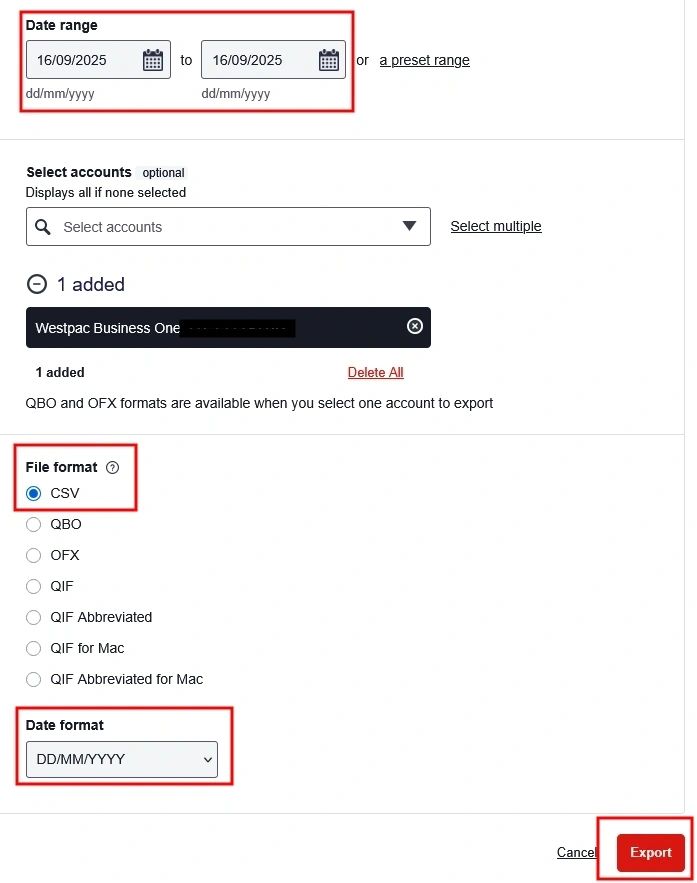
Select/Enter the following details:
Date range > Select the date range you wish to export
Accounts > Select the Bank Account whose transactions you wish to export
File format > Select CSV
Date format > Select: DD/MM/YYYY
Click on [Export]