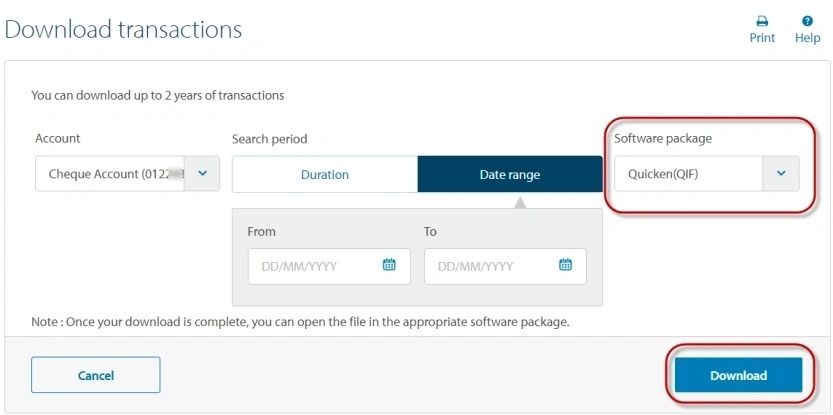
Export the csv/qif file
Log into ANZ Online Banking
The ANZ Online Screen
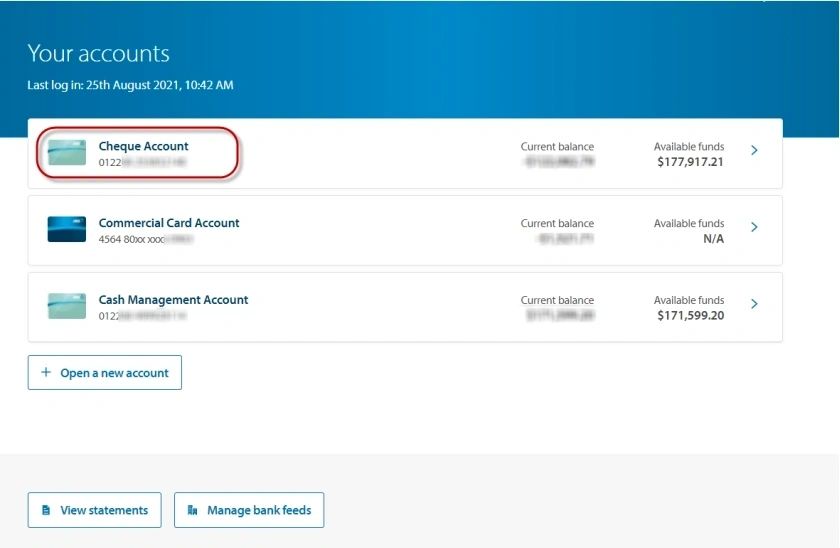
Select the Bank Account whose transactions you wish to export
The Bank Account Screen opens
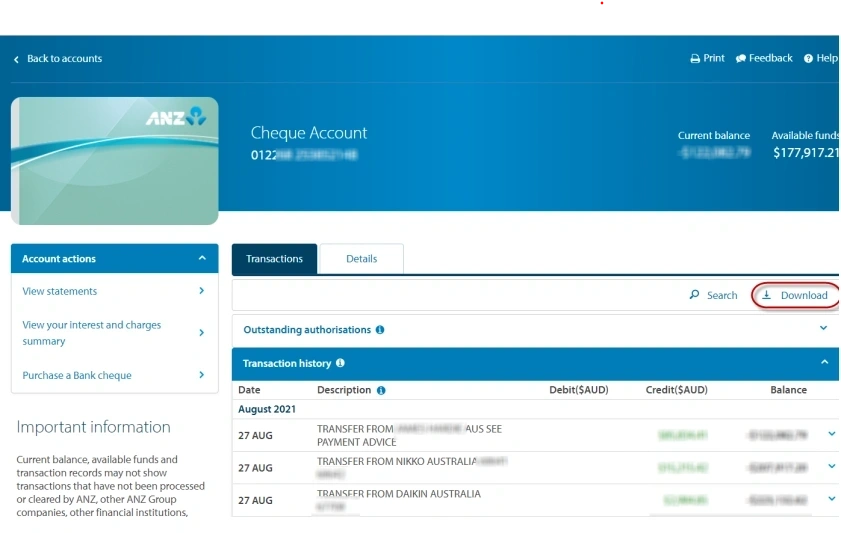
Click on Download
The Download Transactions Screen opens
Select the following details:
Account > Select the Bank Account whose transactions you want to download
Search period > Select: Date Range
Software package > Select: Microsoft Excel(CSV)
Type the transactions' from and to dates
Click on [Download]