1 - Log into your Commsec Account.
2 - Click Trade > Manage Orders > Confirmations.
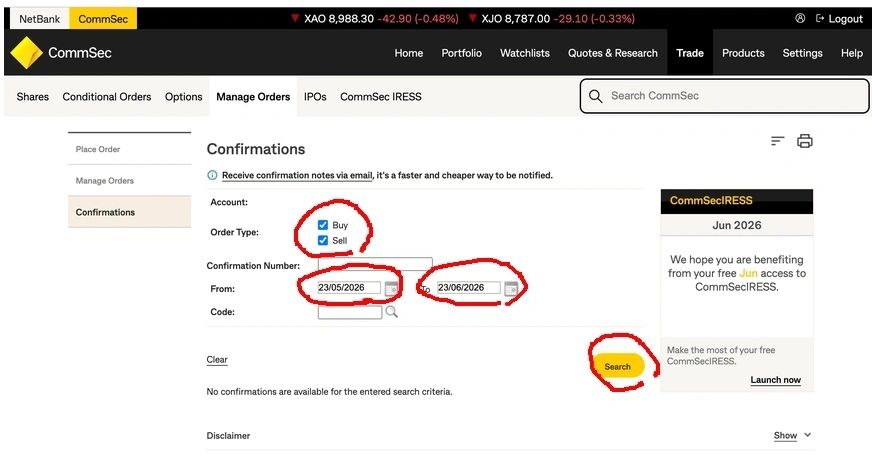
3 - Set the correct date range and click search.
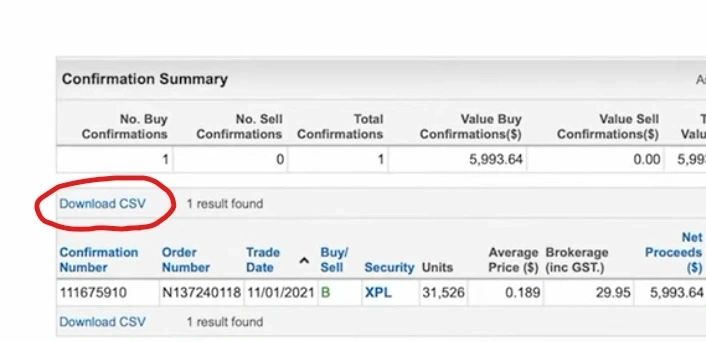
4 - Click the Download CSV link.
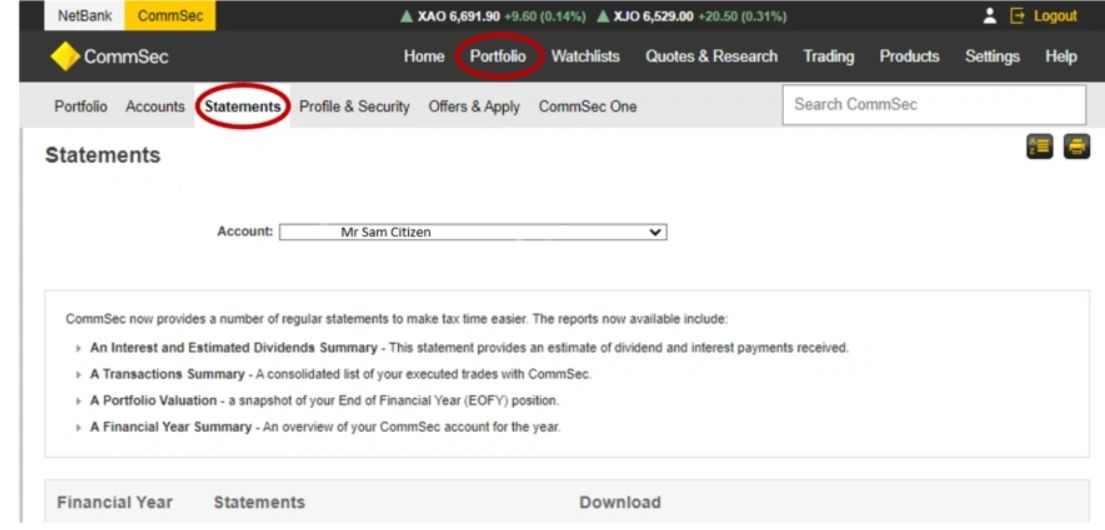
5 - Click Portfolio > Statements
6 - Download relevant Financial Year Statements.

1 - Log into your Commsec Account.
2 - Click Trade > Manage Orders > Confirmations.
3 - Set the correct date range and click search.
4 - Click the Download CSV link.
5 - Click Portfolio > Statements
6 - Download relevant Financial Year Statements.